JEF to DST Converter: Free Online, No Sign-Up
JEF is the native format of Janome, Elna and Kenmore machines; DST, the Tajima exchange standard read almost everywhere, stores no palette. Convert JEF to DST for free, no sign-up: stitches and dimensions are preserved, the palette becoming plain thread commands in the original order.
Drop your .JEF file here
or click to browse your files
Convert to DSTYour files are only used to perform the conversion. Privacy policy
- No sign-up
- Instant design preview
- Files deleted immediately
- Processed on an EU server
How it works
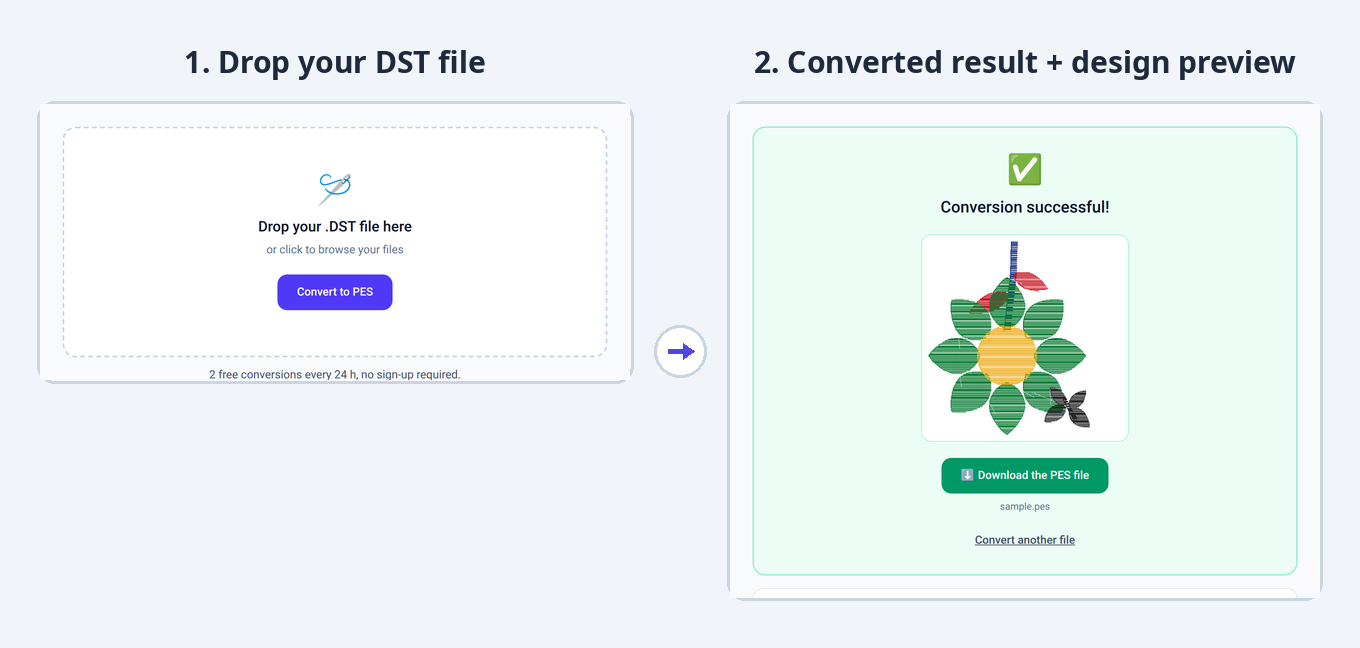
1. Drop your file
Drag and drop your JEF file or select it from your computer.
2. The conversion starts
Your design is automatically converted to the DST format, keeping all embroidery stitches.
3. Download the result
Instantly get your DST file, ready to use on your embroidery machine.
Converter limits and specs
- Free conversions
- 2 free conversions every 24 h, no sign-up required.
- Maximum file size
- 10 MB
- Supported formats
- PES, DST, JEF, EXP, VP3 (input and output)
- Sign-up
- None for free use
- File storage
- None: deleted immediately after conversion
What changes in the JEF to DST conversion
DST, the universal standard, accepts your Janome design but leaves its palette at the door: colors become plain stops, in the same order.
- The JEF color palette is not transferred: DST only stores thread-change commands.
- The design name is truncated to fit the DST header.
- Dimensions and stitch count are reported in the DST header.
- On a non-Janome machine, assign threads in section order to reproduce the original result.
JEF or DST: what are the differences?
| JEF .jef | DST .dst | |
|---|---|---|
| Typical use | Home embroidery | Industrial and home (standard) |
| Machines concerned | Janome, Elna, Kenmore | Tajima and most industrial machines |
| Colors | Color palette (Janome thread catalog) | No palette: thread-change commands (stops) only |
| Metadata | Design dimensions, color palette | Truncated name, stitch count, dimensions (text header) |
| How to open it | With Janome Digitizer or the free Wilcom TrueSizer | With Tajima DG/ML by Pulse, the free Wilcom TrueSizer, or Embird |
Understanding the JEF and DST formats
JEF .jef · as a source file
JEF sets out with the strengths of a Janome home format: stitches in tenths of a millimeter, explicit dimensions and a color palette backed by the Janome thread catalog. When the target format accepts a palette, your colors follow; otherwise, the section order remains the guide for reassigning threads.
- BrandsJanome, Elna, Kenmore
- HoopsFixed table: from 80 × 80 mm to 140 × 200 mm
- ColorsPalette (Janome thread catalog)
- MetadataDesign dimensions, selected hoop
- Internal unitTenth of a millimeter
DST .dst · as an output file
As a target, DST yields the most portable file there is: accepted by almost every machine, home or industrial. The palette is not kept (the format stores none) and the design name is truncated, but stitches and dimensions pass through unchanged — the header copies the footprint in tenths of a millimeter.
- BrandsTajima; read by almost every machine
- Header512-byte text (truncated name, counters, dimensions)
- ColorsNo palette: thread-change commands (stops)
- EncodingFixed-length 3-byte records
- Max jump121 tenths of a mm (beyond: intermediate jumps)
Machine compatibility and dimensions
The JEF dimensions are copied into the DST text header (extents in tenths of a millimeter), the reference for industrial machines. The size stays checkable at a glance, and the embroidery is identical: DST fits large Tajima hoops as well as a suitable home hoop.
Other conversions from the JEF format
Frequently asked questions
How do I convert a JEF file to DST?
Drop your .jef file in the conversion area above: the conversion to DST is automatic. All that is left is to download the converted file.
How do I get my JEF colors back after converting to DST?
Note the JEF color order before converting (a preview is enough): DST keeps that section order. Assigning each thread following that order on the machine reproduces the intended result exactly.
How do I open a JEF or DST file?
JEF files open with Janome Digitizer or the free Wilcom TrueSizer; DST files open with Tajima DG/ML by Pulse, the free Wilcom TrueSizer, or Embird. You can also convert JEF to DST online for free with StitchConverter.
Is the JEF to DST conversion free?
Yes. StitchConverter offers 2 free conversions every 24 h, with no sign-up. For unlimited use, go Premium (€1 per 24 h or €5 per month).
Do I need an account to convert a file?
No, no sign-up is required for free use. A Premium account is created automatically when you purchase, and you are identified by e-mail.