PES to JEF Converter: Free Online, No Sign-Up
PES is the format of Brother machines, JEF that of Janome, Elna and Kenmore: two home formats that store a color palette. Convert PES to JEF for free, no sign-up: stitches, dimensions and colors are preserved, with threads remapped to the closest Janome catalog entries.
Drop your .PES file here
or click to browse your files
Convert to JEFYour files are only used to perform the conversion. Privacy policy
- No sign-up
- Instant design preview
- Files deleted immediately
- Processed on an EU server
How it works
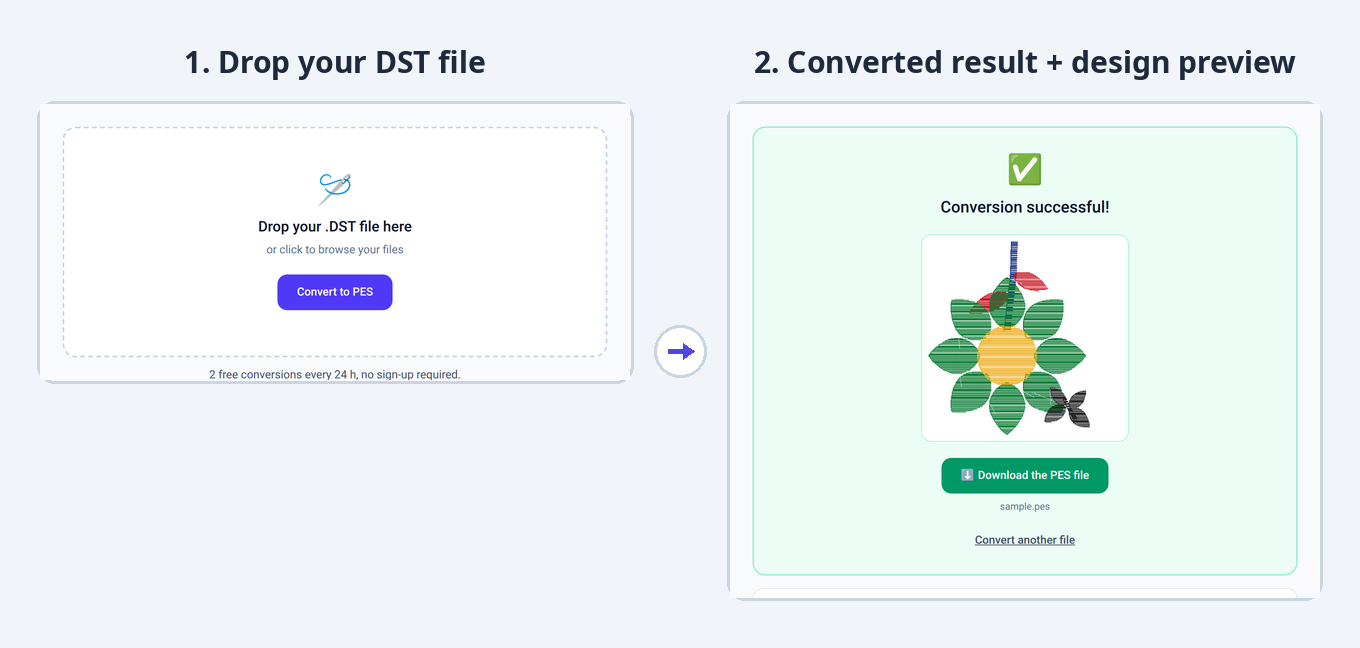
1. Drop your file
Drag and drop your PES file or select it from your computer.
2. The conversion starts
Your design is automatically converted to the JEF format, keeping all embroidery stitches.
3. Download the result
Instantly get your JEF file, ready to use on your embroidery machine.
Converter limits and specs
- Free conversions
- 2 free conversions every 24 h, no sign-up required.
- Maximum file size
- 10 MB
- Supported formats
- PES, DST, JEF, EXP, VP3 (input and output)
- Sign-up
- None for free use
- File storage
- None: deleted immediately after conversion
What changes in the PES to JEF conversion
PES and JEF are both home formats that can store a palette: converting from Brother to Janome keeps your colors, simply remapped to the Janome thread catalog.
- The color palette is transferred; thread references are mapped to the closest Janome catalog entries.
- The stitch count and design dimensions stay identical.
- Brother-specific metadata (extended design name, version-specific palette) is only partially carried over.
- No color check needed on the machine in most cases.
PES or JEF: what are the differences?
| PES .pes | JEF .jef | |
|---|---|---|
| Typical use | Home embroidery | Home embroidery |
| Machines concerned | Brother, Babylock, Bernina Deco | Janome, Elna, Kenmore |
| Colors | Includes a color palette (with thread references depending on the version) | Color palette (Janome thread catalog) |
| Metadata | Design name, dimensions, thread palette | Design dimensions, color palette |
| How to open it | With Brother PE-Design, Embrilliance Essentials or the free Ink/Stitch | With Janome Digitizer or the free Wilcom TrueSizer |
Understanding the PES and JEF formats
PES .pes · as a source file
Your PES file arrives with everything a home format can carry: the stitch sequence, dimensions in millimeters, a design name and a color palette that follows the conversion whenever the target format can store one. Versions 1 through 12 are read alike: an old PES and a recent file set out with the same information.
- BrandsBrother, Babylock, Bernina Deco
- Versions read1 through 12 (they followed Brother hoop sizes)
- ColorsPalette + thread references depending on the version
- MetadataDesign name, dimensions in millimeters
- Internal unitTenth of a millimeter
JEF .jef · as an output file
As a target, JEF serves Janome, Elna and Kenmore machines: the file automatically attaches a hoop from its table (from 80 × 80 mm up to 140 × 200 mm) and receives a palette drawn from the Janome catalog. Coming from a colorless format (DST, EXP), the default tints are checked at a glance on the machine.
- BrandsJanome, Elna, Kenmore
- HoopsFixed table: from 80 × 80 mm to 140 × 200 mm
- ColorsPalette (Janome thread catalog)
- MetadataDesign dimensions, selected hoop
- Internal unitTenth of a millimeter
Machine compatibility and dimensions
PES and JEF both store design dimensions and a hoop size: the conversion carries the original dimensions over, and JEF attaches the hoop that fits the design. A layout made for a 100 × 100 mm Brother hoop lands in its Janome equivalent, with no rescaling or repositioning.
Other conversions from the PES format
Frequently asked questions
How do I convert a PES file to JEF?
Drop your .pes file in the conversion area above: the conversion to JEF is automatic. All that is left is to download the converted file.
PES to JEF: are the colors kept?
Yes. JEF stores a color palette just like PES: each section gets a color from the Janome catalog. Exact thread codes may differ between brands: a quick look at the preview on your machine confirms the result.
How do I open a PES or JEF file?
PES files open with Brother PE-Design, Embrilliance Essentials or the free Ink/Stitch; JEF files open with Janome Digitizer or the free Wilcom TrueSizer. You can also convert PES to JEF online for free with StitchConverter.
Is the PES to JEF conversion free?
Yes. StitchConverter offers 2 free conversions every 24 h, with no sign-up. For unlimited use, go Premium (€1 per 24 h or €5 per month).
Do I need an account to convert a file?
No, no sign-up is required for free use. A Premium account is created automatically when you purchase, and you are identified by e-mail.