PES to DST Converter: Free Online, No Sign-Up
PES is the native format of Brother and Babylock machines: it stores stitches, dimensions and a color palette. DST is the Tajima exchange standard, read by almost every machine, but palette-free. Convert PES to DST for free, no sign-up: stitches and dimensions are preserved, only colors become thread commands to reassign.
Drop your .PES file here
or click to browse your files
Convert to DSTYour files are only used to perform the conversion. Privacy policy
- No sign-up
- Instant design preview
- Files deleted immediately
- Processed on an EU server
How it works
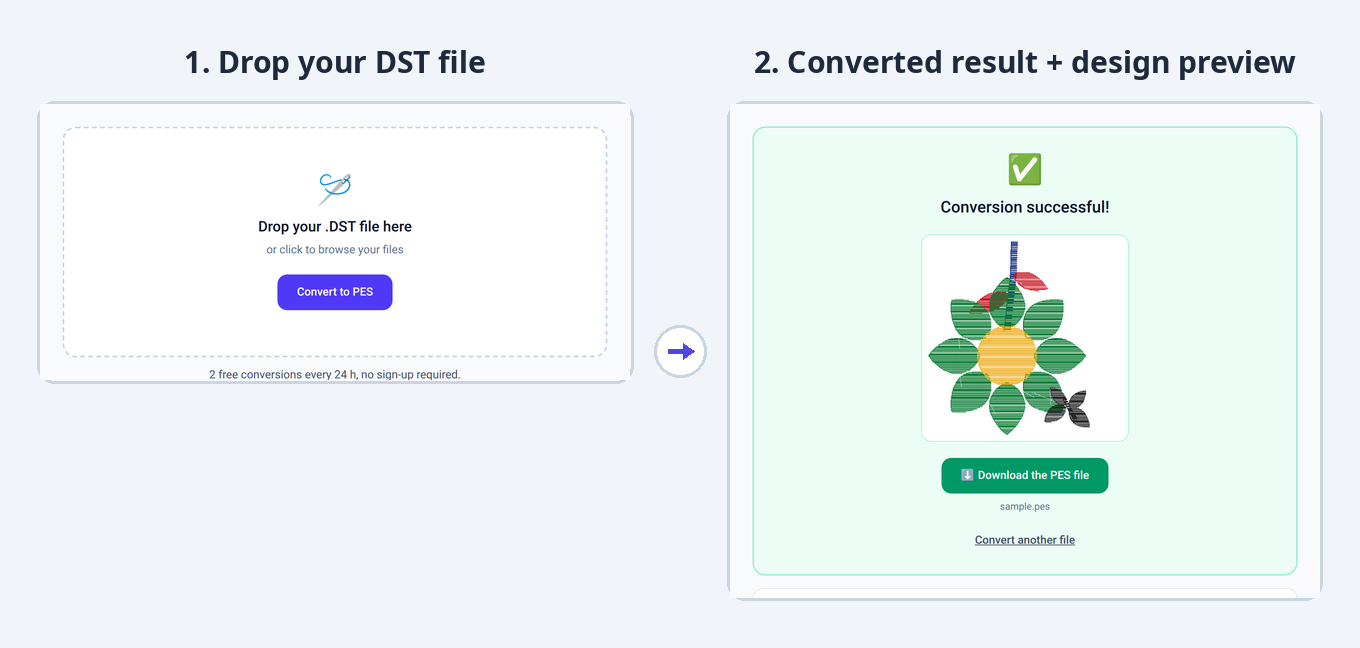
1. Drop your file
Drag and drop your PES file or select it from your computer.
2. The conversion starts
Your design is automatically converted to the DST format, keeping all embroidery stitches.
3. Download the result
Instantly get your DST file, ready to use on your embroidery machine.
Converter limits and specs
- Free conversions
- 2 free conversions every 24 h, no sign-up required.
- Maximum file size
- 10 MB
- Supported formats
- PES, DST, JEF, EXP, VP3 (input and output)
- Sign-up
- None for free use
- File storage
- None: deleted immediately after conversion
What changes in the PES to DST conversion
Going from PES, a metadata-rich Brother format, to DST, the “flat” exchange standard, simplifies the file: stitches stay strictly identical, but the color palette does not follow.
- The PES color palette is not transferred: DST only stores thread-change commands (stops), carried over in the same order.
- The design name is truncated to fit the DST text header.
- The stitch count and design dimensions are preserved exactly.
- On the machine, you will need to manually assign a thread to each color section.
PES or DST: what are the differences?
| PES .pes | DST .dst | |
|---|---|---|
| Typical use | Home embroidery | Industrial and home (standard) |
| Machines concerned | Brother, Babylock, Bernina Deco | Tajima and most industrial machines |
| Colors | Includes a color palette (with thread references depending on the version) | No palette: thread-change commands (stops) only |
| Metadata | Design name, dimensions, thread palette | Truncated name, stitch count, dimensions (text header) |
| How to open it | With Brother PE-Design, Embrilliance Essentials or the free Ink/Stitch | With Tajima DG/ML by Pulse, the free Wilcom TrueSizer, or Embird |
Understanding the PES and DST formats
PES .pes · as a source file
Your PES file arrives with everything a home format can carry: the stitch sequence, dimensions in millimeters, a design name and a color palette that follows the conversion whenever the target format can store one. Versions 1 through 12 are read alike: an old PES and a recent file set out with the same information.
- BrandsBrother, Babylock, Bernina Deco
- Versions read1 through 12 (they followed Brother hoop sizes)
- ColorsPalette + thread references depending on the version
- MetadataDesign name, dimensions in millimeters
- Internal unitTenth of a millimeter
DST .dst · as an output file
As a target, DST yields the most portable file there is: accepted by almost every machine, home or industrial. The palette is not kept (the format stores none) and the design name is truncated, but stitches and dimensions pass through unchanged — the header copies the footprint in tenths of a millimeter.
- BrandsTajima; read by almost every machine
- Header512-byte text (truncated name, counters, dimensions)
- ColorsNo palette: thread-change commands (stops)
- EncodingFixed-length 3-byte records
- Max jump121 tenths of a mm (beyond: intermediate jumps)
Machine compatibility and dimensions
A PES file stores the design dimensions; DST copies them into its text header (extents in tenths of a millimeter). The size therefore stays readable and identical: a 100 × 100 mm design comes out as 100 × 100 mm. Simply check that it fits the hoop of your Tajima or industrial machine.
Other conversions from the PES format
Frequently asked questions
How do I convert a PES file to DST?
Drop your .pes file in the conversion area above: the conversion to DST is automatic. All that is left is to download the converted file.
Does converting PES to DST lose my colors?
The DST file keeps the thread-change order of the PES but not the colors themselves: it stores no palette. Your machine will ask you to assign a thread to each section: following the original order, the embroidered result stays identical.
How do I open a PES or DST file?
PES files open with Brother PE-Design, Embrilliance Essentials or the free Ink/Stitch; DST files open with Tajima DG/ML by Pulse, the free Wilcom TrueSizer, or Embird. You can also convert PES to DST online for free with StitchConverter.
Is the PES to DST conversion free?
Yes. StitchConverter offers 2 free conversions every 24 h, with no sign-up. For unlimited use, go Premium (€1 per 24 h or €5 per month).
Do I need an account to convert a file?
No, no sign-up is required for free use. A Premium account is created automatically when you purchase, and you are identified by e-mail.