What file format does a Husqvarna Viking or Pfaff embroidery machine use?
VP3 is the native format of Husqvarna Viking and Pfaff embroidery machines — and the most complete of the common embroidery formats. It stores a thread table with brand and code references, up to 255 colors, digitizing notes, the design’s hoop position and its dimensions in millimeters. Converting to or from a VP3 keeps the stitches and dimensions intact.
By Lorris Crappier · Published 6 October 2026
VP3 at a glance
The essentials, straight from the converter’s specifications:
| Brands | Husqvarna Viking, Pfaff |
|---|---|
| Colors | Thread table (brand, code), up to 255 colors |
| Metadata | Digitizing notes, position within the hoop |
| Dimensions | Millimeters, stored at the end of the file |
| Software | Husqvarna 6D/Premier+, Pfaff 6D |
The VP3 is one of five formats this site converts: the complete guide to embroidery file formats places it next to PES, DST, JEF and EXP, machine by machine.
Why the VP3 carries more than other formats
Open a VP3 and you get more than a stitch sequence. Each color section carries an entry in a thread table with the brand and the code of the thread — up to 255 colors — alongside digitizing notes. No other common format goes this far: PES stores a palette with thread references depending on the file version, DST stores only the order of thread changes, and EXP stores neither colors nor dimensions.
The completeness extends to placement and size. The design’s position within the hoop is stored, its dimensions live in millimeters at the end of the file, and everything stays editable in the manufacturer software — Husqvarna 6D/Premier+ or Pfaff 6D. On a Husqvarna Viking or Pfaff machine, a VP3 is simply the most comfortable file you can load.
As a target, the VP3 also treats arriving colors with the most care: rather than a bare default palette, each section receives a named thread entry that the manufacturer software can display and refine. It is the destination that gives a palette-less design’s colors a real home.
Coming from a Brother machine? Converting PES to VP3
PES is Brother’s format and the most common one in home embroidery, so a large share of designs bought or downloaded arrive as PES — including for owners of a Husqvarna Viking or Pfaff machine. The PES-to-VP3 conversion is the everyday bridge between the two ecosystems.
What it does: every PES color becomes an entry in the VP3 thread table — the brand and code can be filled in later if needed — while dimensions and the stitch count are preserved exactly. Nothing is rescaled: what you saw on the Brother screen reappears identically on the Husqvarna Viking or Pfaff, at the same place within the hoop. And since VP3 accepts far more colors than a design needs, no section is merged or dropped. Convert a PES file to VP3.
One thing does not follow: the PES’s own digitizing notes, which the VP3 does not inherit. Everything else travels.
Switching to a Janome? Converting VP3 to JEF
The reverse journey is just as real: a design library built on a Husqvarna Viking or Pfaff moves to a Janome, an Elna or a Kenmore — all of which read the JEF. This is the scenario of someone changing machine brand and taking the whole library along, file by file.
The conversion simplifies the VP3 thread table into a JEF palette while keeping the section order: each brand-and-code entry is mapped to the closest color in the Janome thread catalog. The file also picks the suitable Janome hoop from its own table, from 100 × 100 mm up to 140 × 200 mm — worth a glance if the design was digitized for a large Husqvarna hoop. The size itself does not change.
Stitches and dimensions stay strictly identical; the digitizing notes are not carried over. If a specific thread matters to the project, check its mapped match in the machine preview before starting. Convert a VP3 file to JEF.
Three common mistakes with VP3 files
Renaming the extension instead of converting
Copying “design.pes” and renaming the copy “.vp3” mislabels the file without transforming it: the bytes still follow the PES structure. The machine will refuse the file, or open it wrong. Only a conversion rewrites the data into the VP3 structure — thread table, notes and hoop position included.
Expecting the thread table to survive every conversion
The VP3 carries the richest color data of the five formats, and no target can always match it. Toward DST or EXP the table flattens into a thread-change order; toward JEF each brand-and-code entry is remapped to the closest Janome equivalent. Keep the original VP3 as the reference for colors and notes.
Skipping the hoop check on the new machine
A conversion preserves the design’s millimeter dimensions, but the target machine still needs a hoop large enough — chosen from its own table. Converting VP3 to JEF, for instance, lands the design on a Janome hoop between 100 × 100 mm and 140 × 200 mm: a design digitized on a large Husqvarna hoop deserves a look at that match before stitching.
Frequently asked questions
Can a Husqvarna Viking or Pfaff machine open PES files?
Those machines expect a VP3 file, so route the design through a PES-to-VP3 conversion: the Brother palette is rebuilt as a VP3 thread table, and the machine shows the correct color sections as-is. You can refine each thread’s brand and code later in Husqvarna 6D/Premier+ or Pfaff 6D software.
Why did my colors change after converting a VP3 file?
It depends on the target format. Toward a rich format the tints transfer — to JEF they are remapped to the closest Janome catalog entries. Toward a flat format like DST or EXP, only the section order survives. The embroidery itself never changes; only the way colors are stored does.
Is converting VP3 to JEF lossless?
For the embroidery itself, yes: the stitch count and the dimensions stay strictly identical. What changes is the packaging — the thread table is simplified into a JEF palette mapped to the closest Janome entries, and digitizing notes are not carried over. Keep the VP3 as your reference file for colors and notes.
What software opens a VP3 file?
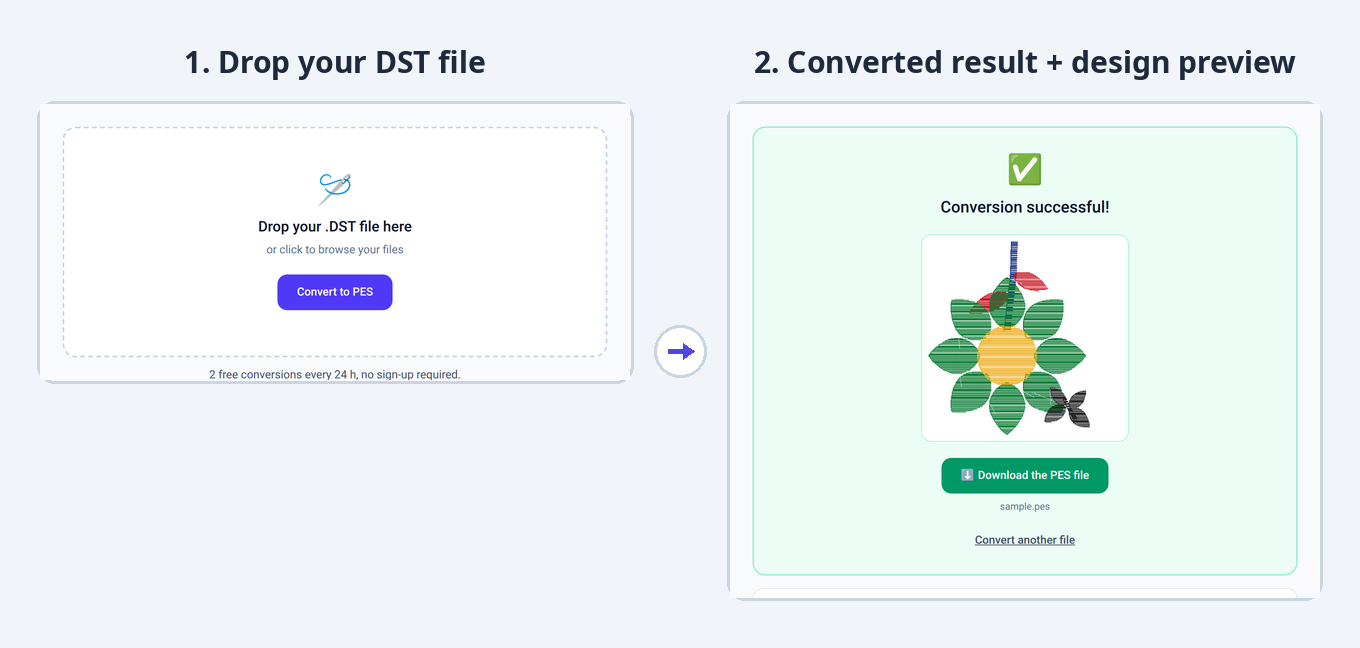
The manufacturer software: Husqvarna 6D/Premier+ or Pfaff 6D. To check a design without buying software, run it through a converter — the preview displays the stitched result as an image, with colors and section order included, before you download the converted file.
VP3 or DST: which format should I send to an embroidery workshop?
DST is the universal exchange standard and nearly every workshop reads it, but it stores no thread table — only the order of thread changes. Send the DST for the machines and keep the VP3 as the reference: it preserves the thread brands, codes and digitizing notes the workshop may need.
Keep reading
Embroidery file formats: which one for which machine?The pillar guide: all five formats, the machine-by-machine table and what conversions change.DST vs PES: what actually differs between the two?The most frequent matchup: color handling, compatibility, and what each conversion direction preserves.JEF file format: guide for Janome & ElnaFrom the other bank of the VP3 → JEF bridge: the native format of Janome and Elna, its hoops and palette.Got a VP3, a PES or a JEF at hand? Drop it in: the format is detected, the conversion takes seconds and the design preview shows before you download. Free, no sign-up.
Convert a file