DST vs PES: what actually differs between these two embroidery formats?
DST is the universal exchange standard: readable by nearly every machine, it stores no colors at all — only the order of thread changes. PES is the home format of Brother and Babylock machines: it carries the color palette and the design name. The stitches themselves are identical in both formats.
By Lorris Crappier · Published 26 September 2026
DST and PES at a glance
Two formats, two jobs in the everyday embroidery workflow. The table sums up what each one carries; the rest of the guide takes every row apart.
| DST (.dst) | PES (.pes) | |
|---|---|---|
| Typical use | Industrial and home (standard) | Home embroidery |
| Machines concerned | Tajima and most industrial machines | Brother, Babylock, Bernina Deco |
| Colors | No palette: thread-change commands (stops) only | Includes a color palette (with thread references depending on the version) |
| Metadata | Truncated name, stitch count, dimensions (text header) | Design name, dimensions, thread palette |
| How to open it | With Tajima DG/ML by Pulse, the free Wilcom TrueSizer, or Embird | With Brother PE-Design, Embrilliance Essentials or the free Ink/Stitch |
This matchup is only one pair among twenty: the complete guide to embroidery file formats walks through all of them, machine by machine.
DST: the standard almost every machine reads
Born at Tajima, a maker of industrial machines, DST became the common language of embroidery: nearly every machine, software and workshop can read it. When a design travels — from a digitizer to a shop, from software to a machine — it very often travels as DST.
Its structure explains both its reliability and its limits. Stitches, jumps and trims are encoded in fixed-length 3-byte records; a single jump cannot exceed 121 tenths of a millimeter, with intermediate jumps inserted beyond that. A 512-byte text header summarizes the rest: the design name (truncated to fit), the stitch count and the dimensions.
What DST does not store: a color palette. Its only color-related content is a set of thread-change commands — stops — that say when to change thread, never which thread. That is the price of its universality, and the root of the main difference with PES.
PES: the format built for Brother machines
PES is Brother’s proprietary format — shared by the Babylock and Bernina Deco machines of the same ecosystem. It is the most common format in home embroidery: buy a design from a shop and a PES is almost always among the options.
Where DST carries instructions only, PES adds everything that makes a design comfortable to use: a design name, dimensions in millimeters and a color palette — with thread references depending on the file version. Versions 1 through 12 tracked the evolution of Brother’s hoops; a serious converter reads them all, making no distinction between an old PES and a recent file.
The internal unit, a tenth of a millimeter, deserves a note: it is what lets dimensions cross formats without any visible rounding. A 100 × 100 mm design stays a 100 × 100 mm design, whatever the extension.
The real difference: what each format does with color
On paper, DST and PES carry the same embroidery. On screen the difference is immediate, and it comes down to one thing: how colors are stored.
DST records the order of thread changes, not the tints. The file says “change thread here”, never “red”: the operator, or the software, decides. On a machine fed a DST, the sections follow in the right order, but the tints remain to be assigned.
PES carries a palette. The design’s original colors travel with it, with thread references depending on the version: the machine knows what to load, and software displays the design in color.
The practical consequence: the same design opened as DST and as PES can look “different” — not because the stitches changed, but because one shows default tints and the other the original palette. That is also why a DST converted to PES deserves a tint check, one section at a time.
Converting DST to PES — and back: what carries over, what stays behind
The two directions are not symmetric: one enriches the file, the other trims it. In both, the stitches do not move.
DST to PES: nothing lost, colors to check
Convert a DST to PES and you get a file every Brother and Babylock machine can read, with a design name and dimensions. Since the DST carried no palette, the converter builds a default one by following the thread-change order: each section receives a tint, in the original sequence. Nothing is lost — what remains is to check those default tints, section by section, and fix them if the intended red was a blue. Convert a DST file to PES.
PES to DST: the palette stays behind
In the other direction, the file gains portability and gives up comfort: the PES palette cannot follow, because DST stores none. The design name is truncated to fit the header. Stitches and dimensions pass through untouched — the DST header copies the footprint in tenths of a millimeter. This is the expected conversion when a home design heads to a workshop running industrial machines. Convert a PES file to DST.
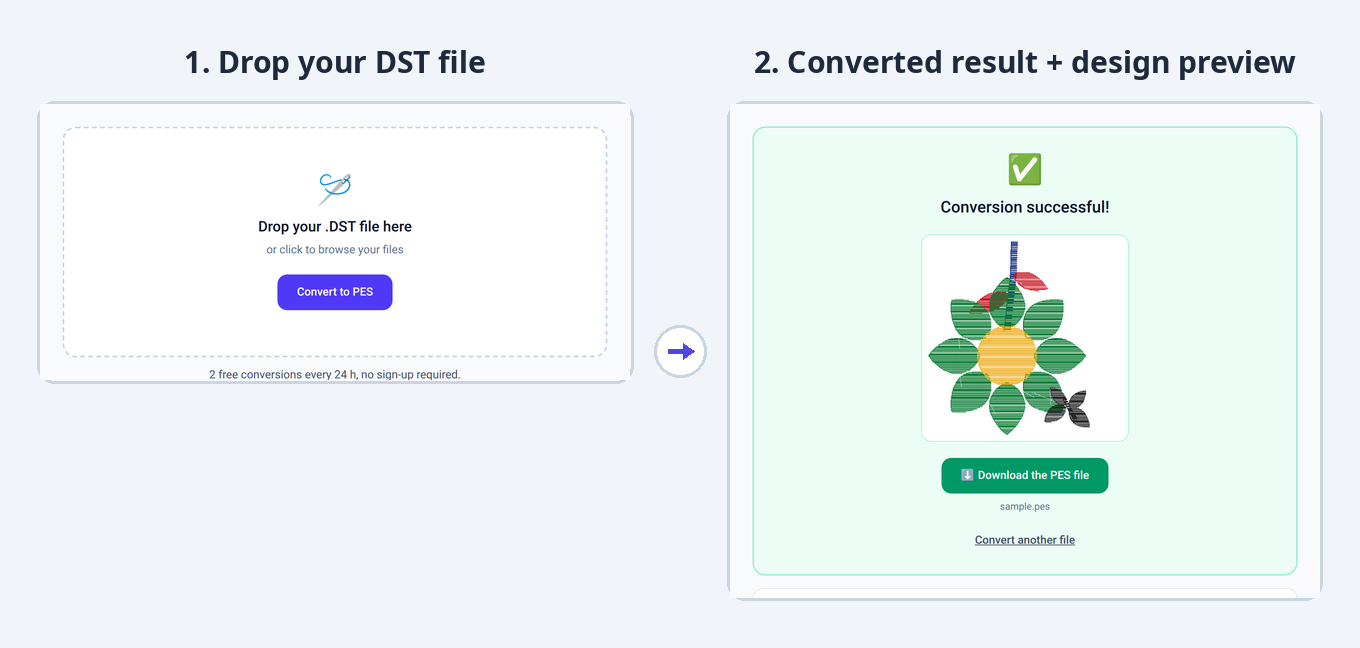
Three common mistakes with DST and PES
Renaming the extension by hand
Copying “design.dst” and renaming the copy to “.pes” performs no transformation: the file still contains DST instructions, merely mislabeled. The machine will refuse it — or open it badly. Only a conversion actually rewrites the data into the target format’s structure.
Expecting a DST’s original colors
A DST never carried tints, so nobody can recover them: they were never in the file. The thread sequence is there; the hues are a manual assignment on the machine — or default tints worth correcting after a conversion.
Picking DST “because it is universal”
Universality makes DST an exchange format, not automatically the right working format. On a home Brother, PES is the format that opens directly, palette included. The mirror case holds too: a shop running industrial machines prefers to receive DST.
Frequently asked questions
Can I open a DST file on a Brother machine?
A Brother machine expects a PES. Go through a DST-to-PES conversion: stitches and dimensions pass through unchanged, and a default palette is rebuilt in thread-change order. Then check the proposed tints — the source file carried none.
Is the PES format exclusive to Brother machines?
PES is native to Brother, Babylock and Bernina Deco machines, and that is where it opens directly. Other machines rarely read it: a Janome expects a JEF, a Husqvarna a VP3. DST then serves as the universal intermediary — at the cost of the palette.
Why does my DST file show a single color?
Because DST contains no tints: only thread changes. Depending on the software, the preview then uses one color or default tints. The original colors were not “lost” along the way — they were never in the file to begin with.
What is the difference between an embroidery file and a PNG or JPG image?
A PNG describes pixels: it can be looked at, but a machine cannot embroider it as-is — it would have to be digitized first. A DST or PES describes stitches to execute: movements, stitches placed, pauses. To see an embroidery design as an image, use the converter’s preview.
Is converting DST to PES lossless?
For the embroidery itself, yes: the stitch count and the dimensions are preserved. Only the palette changes status — rebuilt as a default, since the DST carried none. In the PES-to-DST direction, the palette cannot follow and the design name is truncated.
Keep reading
Embroidery file formats: which one for which machine?The pillar guide: all five formats, the machine-by-machine table and what conversions change.VP3 file format: guide for Husqvarna Viking & PfaffWhat the most complete embroidery format carries, and how PES to VP3 and VP3 to JEF conversions behave.JEF file format: guide for Janome & ElnaThe duel’s third player: the Janome and Elna format, and how JEF to PES and JEF to DST conversions behave.Got a DST or a PES at hand? Drop it in: the format is detected, the conversion takes seconds and the design preview shows before you download. Free, no sign-up.
Convert a file